Chat games
Quiz chat game: four options, everyone can win
A multiple choice quiz for your stream chat. Viewers answer A, B, C or D, and everyone who picks the right option wins points. Use built-in questions or write your own.
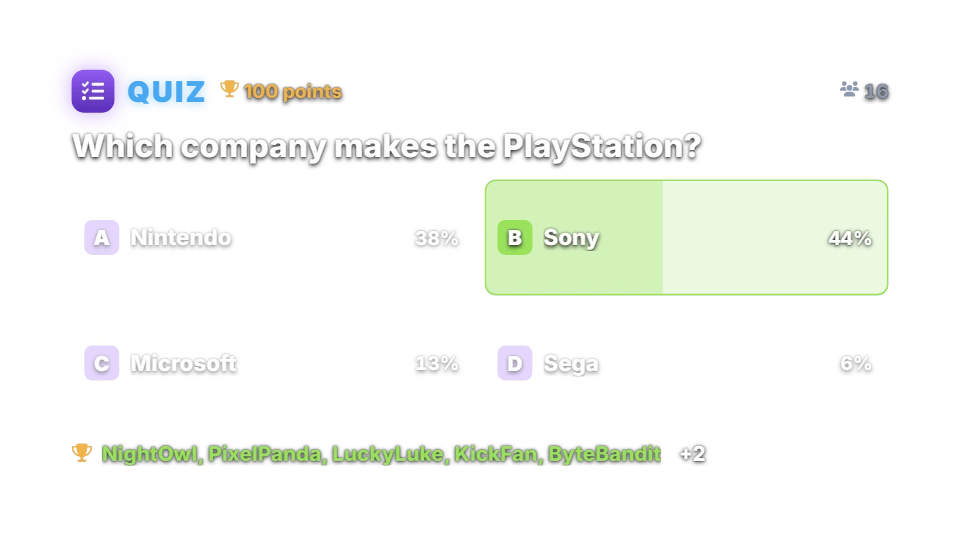
How a question works
A moderator types !quiz, or a timer starts it. The bot posts a question with four options, shuffled every time. Each viewer’s first answer counts. When the 25 seconds are up, everyone who picked the right option wins the reward, and the overlay shows how chat voted.
Run several questions in a row with !quiz 10, or set a fixed or random number of questions per game. The bot posts the top three at the end.
Chat commands
| Command | Who | What it does |
|---|---|---|
| !quiz | Moderators | Starts a quiz game. |
| !quiz 10 | Moderators | Starts a game of 10 questions (up to 30). |
| !quiz stop | Moderators | Reveals the answer and ends the game. |
| A, B, C or D | Anyone | Answers. Only the first answer of each viewer counts. |
Questions and rewards
There are no bets. Every right answer earns the reward from your points system, 100 points by default, so a quiz can reward a lot of viewers at once.
Built-in questions come in English and Hebrew. Write your own as one line each: the question, the right answer and three wrong answers separated by |.
Settings you can change
| Setting | Default | What it changes |
|---|---|---|
| Reward for each right answer | 100 | Points per correct viewer. |
| Number of questions | Fixed, 1 | Fixed or random, up to 30. |
| Time to answer | 25 seconds | Per question. |
| Pause between questions | 8 seconds | Inside a game. |
| Use the built-in questions | On | Turn off to use only yours. |
Set up Quiz
- Turn on the points system on the Points page, or switch on “Play without points” on the Mini-games page if you want rounds without stakes.
- Open Mini-games in the dashboard sidebar and switch Quiz on.
- Press Configure to change the rules, timing, look and every chat message the bot sends for this game.
- Use the Test button next to the overlay preview to play a practice round on your overlay. Test rounds never move points and never post in chat.
Show it on stream
Quiz is already part of your all-in-one overlay, so if that browser source is in your scene there is nothing else to add. The game stays invisible until a round starts and fades out when it ends.
If you want to place the game on its own, copy the overlay URL from the game’s settings page and add it in OBS as a Browser source at the size shown next to the URL. Keep that URL private: it belongs to your channel.
The overlay only shows the result; the outcome is decided on the server with a cryptographic random number before the animation starts. If no overlay is open, the result is posted in chat straight away.
Questions
Is Quiz free?
Included on the free plan.
How is it different from Trivia?
Trivia rewards the first person to type the answer. Quiz gives four options and rewards everyone who chooses the right one, so it suits large chats.