Chat games
Blackjack chat game: play 21 against the dealer
Seat up to six viewers at a blackjack table in your stream chat. They hit, stand and double against the dealer while the cards are dealt on your overlay.
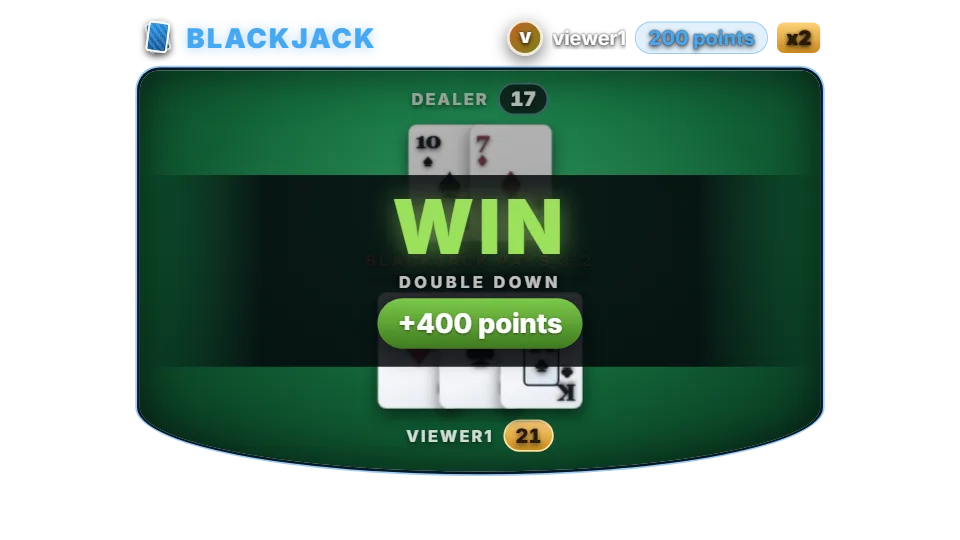
How a hand works
By default a table has three seats. A table opens, viewers take a seat with a bet within 15 seconds, and hands are played in seat order. Each player has 30 seconds per decision; when time runs out the hand stands.
The dealer draws to 17 and stands on soft 17 unless you change it. Cards come from a freshly shuffled six-deck shoe every round. Set the table to one seat and every viewer plays a private hand straight away.
By default only moderators can open a new round (“Who can start a round” is set to Moderator). Viewers join a round that is already open. Change the setting to Anyone if viewers should be able to start rounds themselves, or let rounds open on a timer.
Chat commands
| Command | Who | What it does |
|---|---|---|
| !blackjack 100 | Anyone (to sit) | Takes a seat with 100 points. !bj is the alias. |
| !hit | The player whose turn it is | Draws a card. Short form !h. |
| !stand | The player whose turn it is | Keeps the hand. !stay and !s also work. |
| !double | The player whose turn it is | Doubles the bet, takes one card and stands. Only on the first two cards. Short form !d. |
Rules and payouts
A win pays 2x the bet, a push returns the bet, and a natural blackjack pays 3:2 by default (6:5 is available). If the dealer has blackjack, players without one lose. There is no splitting and no insurance.
With the default rules the dashboard estimates a return of about 99.4% for a player using basic strategy. 6:5 payouts, a dealer who hits soft 17 or turning off doubling lower it. Points are your channel’s own virtual currency. They have no cash value and cannot be bought or paid out.
Settings you can change
| Setting | Default | What it changes |
|---|---|---|
| Players per table | 3 | From 1 (private hands) to 6. |
| Blackjack payout | 3:2 | 3:2 or 6:5. |
| Dealer hits on soft 17 | Off | Makes the dealer draw on soft 17. |
| Allow doubling down | On | Turns !double on or off. |
| Decks in the shoe | 6 | From 1 to 8. |
| Time per decision | 30 seconds | Before the hand stands automatically. |
Set up Blackjack
- Turn on the points system on the Points page, or switch on “Play without points” on the Mini-games page if you want rounds without stakes.
- Open Mini-games in the dashboard sidebar and switch Blackjack on.
- Press Configure to change the rules, timing, look and every chat message the bot sends for this game.
- Use the Test button next to the overlay preview to play a practice round on your overlay. Test rounds never move points and never post in chat.
Show it on stream
Blackjack is already part of your all-in-one overlay, so if that browser source is in your scene there is nothing else to add. The game stays invisible until a round starts and fades out when it ends.
If you want to place the game on its own, copy the overlay URL from the game’s settings page and add it in OBS as a Browser source at the size shown next to the URL. Keep that URL private: it belongs to your channel.
The overlay only shows the result; the outcome is decided on the server with a cryptographic random number before the animation starts. If no overlay is open, the result is posted in chat straight away.
Questions
Is blackjack on the free plan?
Needs InstiBot Premium. On the free plan the game is shown with a lock and its command stays silent.
Can viewers split pairs?
No. Hit, stand and double down are the moves available.