Chat games
Hangman chat game: guess letters before the gallows
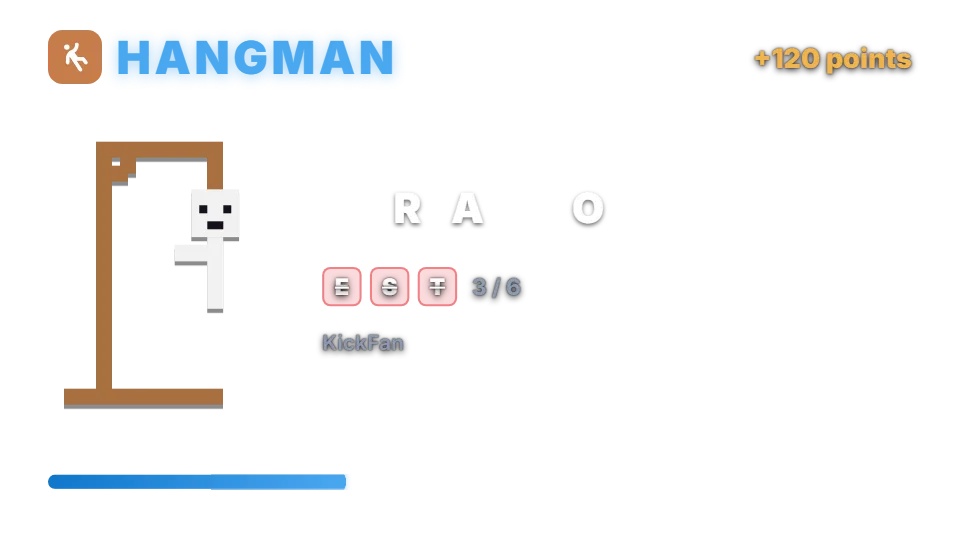
Chat guesses a hidden word one letter at a time while the gallows are drawn on your overlay. The viewer who completes the word wins points.
How a round works
A moderator types !hangman, or a timer starts it. The word appears as blanks. Viewers guess by sending a single letter, or the whole word. Right letters fill the blanks; wrong letters add to the gallows. The viewer who completes the word wins the reward, 120 points by default.
Six wrong letters and the round is lost. While a round runs, any single-letter message in chat counts as a guess.
Chat commands
| Command | Who | What it does |
|---|---|---|
| !hangman | Moderators | Starts a new word. |
| !hangman stop | Moderators | Ends the round. |
| (type a letter or the word) | Anyone | Guesses. |
Words and rewards
There are no bets; the solver receives the reward from your points system. Hangman uses the same built-in word list as Word Scramble, filtered by your word length settings, plus up to 2000 words of your own.
Settings you can change
| Setting | Default | What it changes |
|---|---|---|
| Reward | 120 | Points for the solver. |
| Wrong letters allowed | 6 | From 3 to 10. |
| Minimum / maximum word length | 5 / 10 | Letters per word. |
| Time to solve | 150 seconds | Before the word is revealed. |
| Seconds between guesses of one viewer | 2 | 0 means no limit. |
Set up Hangman
- Turn on the points system on the Points page, or switch on “Play without points” on the Mini-games page if you want rounds without stakes.
- Open Mini-games in the dashboard sidebar and switch Hangman on.
- Press Configure to change the rules, timing, look and every chat message the bot sends for this game.
- Use the Test button next to the overlay preview to play a practice round on your overlay. Test rounds never move points and never post in chat.
Show it on stream
Hangman is already part of your all-in-one overlay, so if that browser source is in your scene there is nothing else to add. The game stays invisible until a round starts and fades out when it ends.
If you want to place the game on its own, copy the overlay URL from the game’s settings page and add it in OBS as a Browser source at the size shown next to the URL. Keep that URL private: it belongs to your channel.
The overlay only shows the result; the outcome is decided on the server with a cryptographic random number before the animation starts. If no overlay is open, the result is posted in chat straight away.
Questions
Is Hangman on the free plan?
Needs InstiBot Premium. On the free plan the game is shown with a lock and its command stays silent.