Chat games
Plinko chat game: drop a ball for a multiplier
Viewers drop a Plinko ball through 12 rows of pegs on your overlay. The slot it lands in multiplies the bet, up to 170x on high risk.
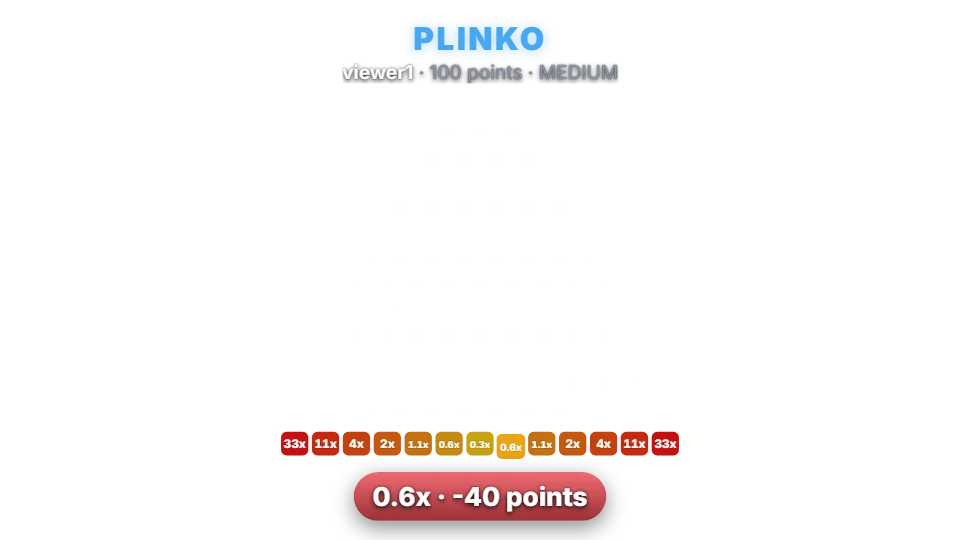
How a drop works
Plinko is instant. A viewer types the command with a bet, and a ball bounces left or right at each of 12 rows of pegs before landing in one of 13 slots. The slot’s multiplier is paid. Slots in the middle are reached most often and pay the least; the edges are rare and pay the most.
Chat commands
| Command | Who | What it does |
|---|---|---|
| !plinko 100 | Anyone | Drops a ball with 100 points at the default risk. |
| !plinko 100 high | Anyone | Picks the risk: low, medium or high. |
| !pl 50 low | Anyone | The short alias. |
Risk levels and payouts
Every table returns about 99% of bets on average; higher risk only spreads the results further apart. Slots under 1x give back part of the stake. Points are your channel’s own virtual currency. They have no cash value and cannot be bought or paid out.
| Risk | Edge slots | Centre slot |
|---|---|---|
| Low | 10x | 0.5x |
| Medium (default) | 33x | 0.3x |
| High | 170x | 0.2x |
Settings you can change
| Setting | Default | What it changes |
|---|---|---|
| Default risk | Medium | Used when a viewer doesn’t name one. |
| Viewers pick the risk | On | Lets viewers add low, medium or high. |
| Minimum and maximum bet | 10 / no limit | The bet range. |
| Per-viewer cooldown | 10 seconds | Time before the same viewer can drop again. |
Set up Plinko
- Turn on the points system on the Points page, or switch on “Play without points” on the Mini-games page if you want rounds without stakes.
- Open Mini-games in the dashboard sidebar and switch Plinko on.
- Press Configure to change the rules, timing, look and every chat message the bot sends for this game.
- Use the Test button next to the overlay preview to play a practice round on your overlay. Test rounds never move points and never post in chat.
Show it on stream
Plinko is already part of your all-in-one overlay, so if that browser source is in your scene there is nothing else to add. The game stays invisible until a round starts and fades out when it ends.
If you want to place the game on its own, copy the overlay URL from the game’s settings page and add it in OBS as a Browser source at the size shown next to the URL. Keep that URL private: it belongs to your channel.
The overlay only shows the result; the outcome is decided on the server with a cryptographic random number before the animation starts. If no overlay is open, the result is posted in chat straight away.
Questions
Is Plinko on the free plan?
Needs InstiBot Premium. On the free plan the game is shown with a lock and its command stays silent.